 GEM Digital
 Migrating a multilingual WordPress site to HubSpot: what to plan for

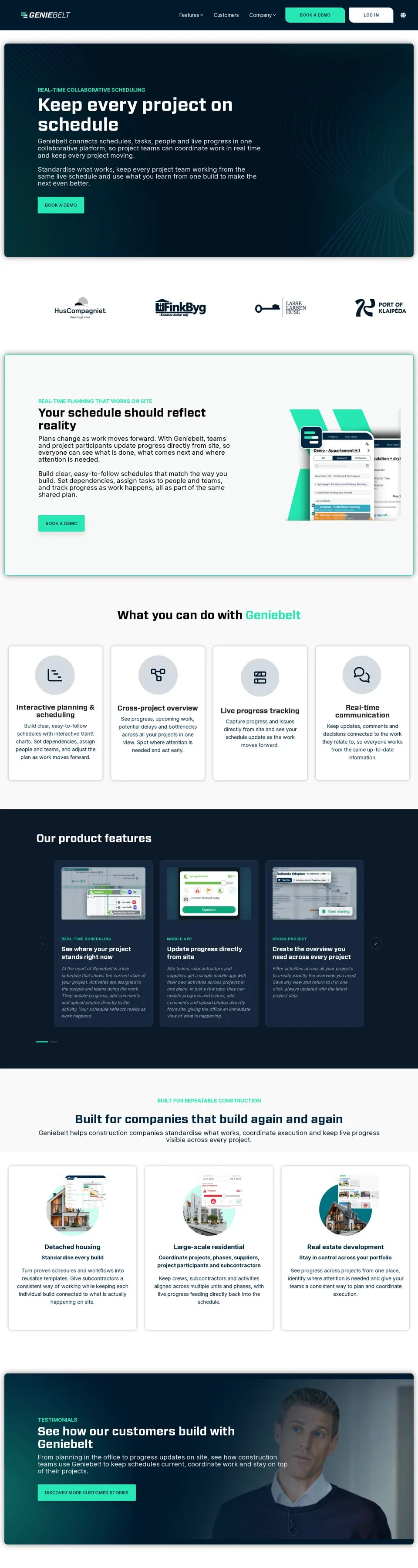
GenieBelt is a construction project management platform based in Denmark. Their WordPress site was well designed, but it was slow to load, and they wanted to bring their website into HubSpot alongside the rest of their marketing.
GEM Digital rebuilt geniebelt.com on HubSpot CMS. It went live in September 2026 in English and Danish, with Swedish to follow, and the GenieBelt team can now add pages and translations themselves without a developer.
This post covers what we planned for, and what we'd tell anyone moving a multilingual site from WordPress to HubSpot.
1. Decide what you're actually migrating
A migration is the best chance you'll get to drop what isn't working. Copying every page across one for one usually just moves the old problems onto a new platform.
For GenieBelt, we started from a confirmed page list of around 15 pages: the homepage, feature pages, About, Customers, Book a Demo and the legal pages. Then the client reviewed it, and the scope changed in useful ways:
- The Sectors section was removed entirely, as it wasn't earning its place
- A blog was added, using content they already had
- The customer story template was simplified, based on a sketch from the client
- A reusable landing page template was added, so campaigns don't need a developer
We also confirmed early that sign-up and login would stay with the product, as a simple redirect to the GenieBelt application rather than something rebuilt in the website. Settling that up front kept it out of the build.
Tip: Ask about logins, gated areas and plugins in the first conversation. They're the things most likely to turn a straightforward migration into a much bigger one.
2. Choose a theme or a custom build
The next decision is whether to build on a marketplace theme or build a fully custom one.
For GenieBelt, we recommended the Clean Pro theme. It's flexible, it has a wide range of modules, and starting from a strong theme meant the budget went on matching the brand and building what was genuinely missing, rather than recreating basics like headers, grids and forms.
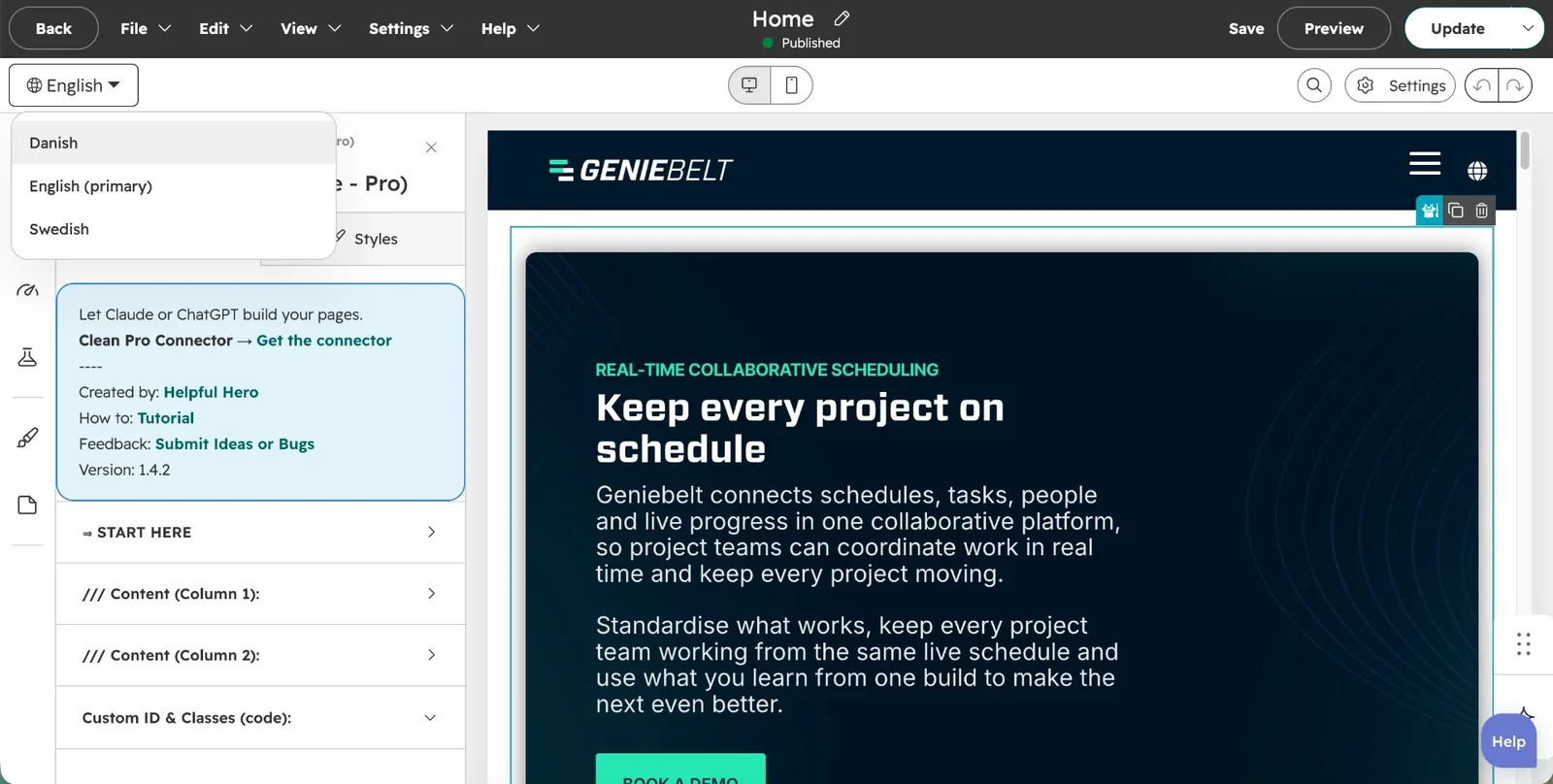
On top of the theme, we added:
- Custom CSS to match the existing brand closely, using the client's design guide
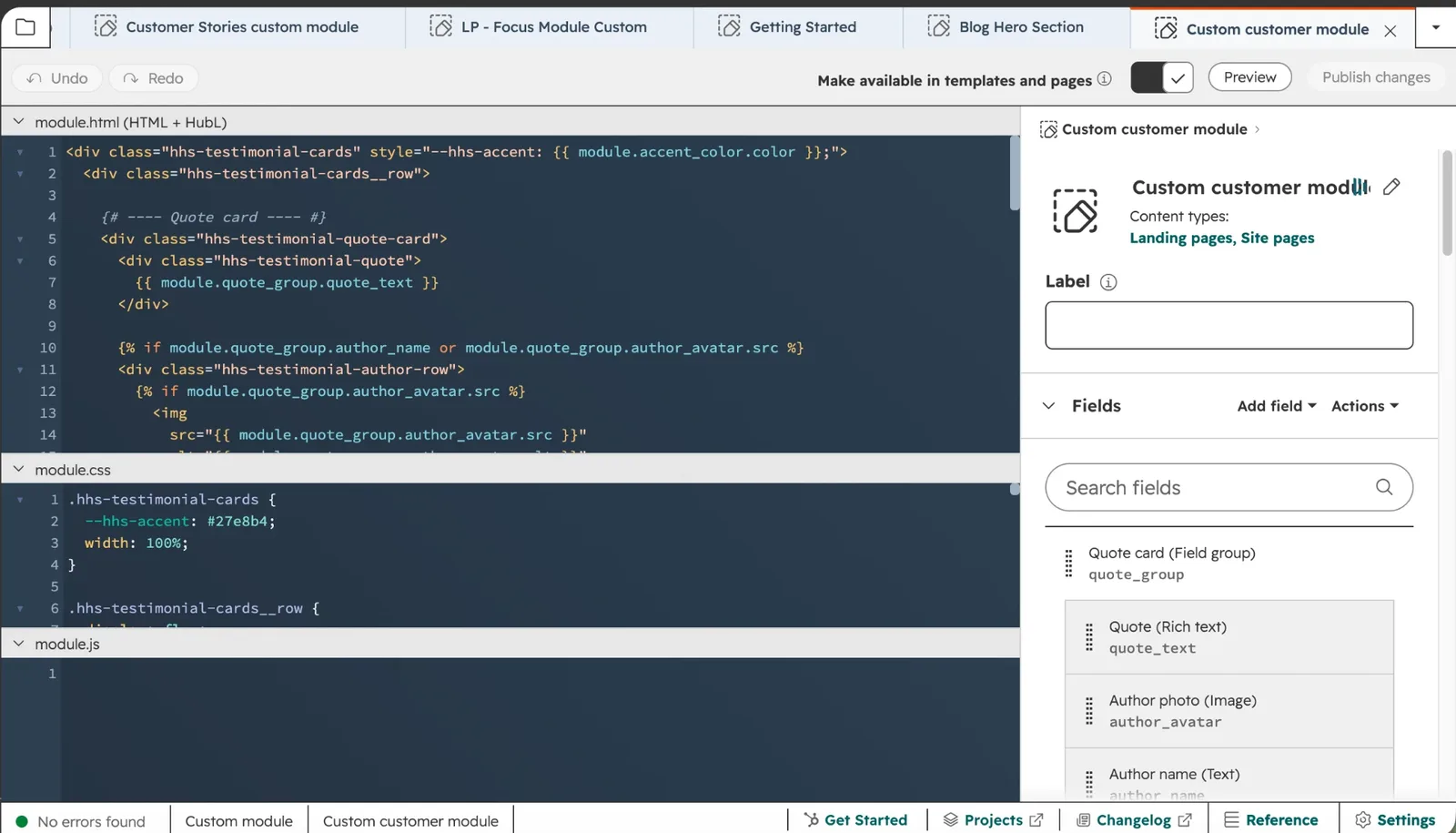
- A custom Testimonial Card module, combining a client quote with a card of headline stats, to power the customer stories
- The theme's own Magic Module for the hero sections, so editors only change a headline and supporting text per page
Tip: A theme gets you to launch faster, but check it has the modules you need before you commit. Adding a few custom modules to a good theme is usually cheaper than a fully custom build, and much cheaper than fighting a theme that doesn't fit.
3. Build templates, not just pages
On a multilingual site, every page you build might need to exist two or three times. Templates stop that from multiplying the work.
For GenieBelt, the customer stories show why this matters. We built one customer story page as the template, then created seven more from it, for customers including HusCompagniet, VolkerFitzpatrick, Rescon Group and IDEALHUSE. Sections that should never change, like the closing call to action, stay identical across every story. Only the content that's specific to each customer gets edited.
The same applies to the landing page template. A campaign page in Danish uses exactly the same structure as one in English, so the team only has to think about the words.
4. Plan the language setup before you build
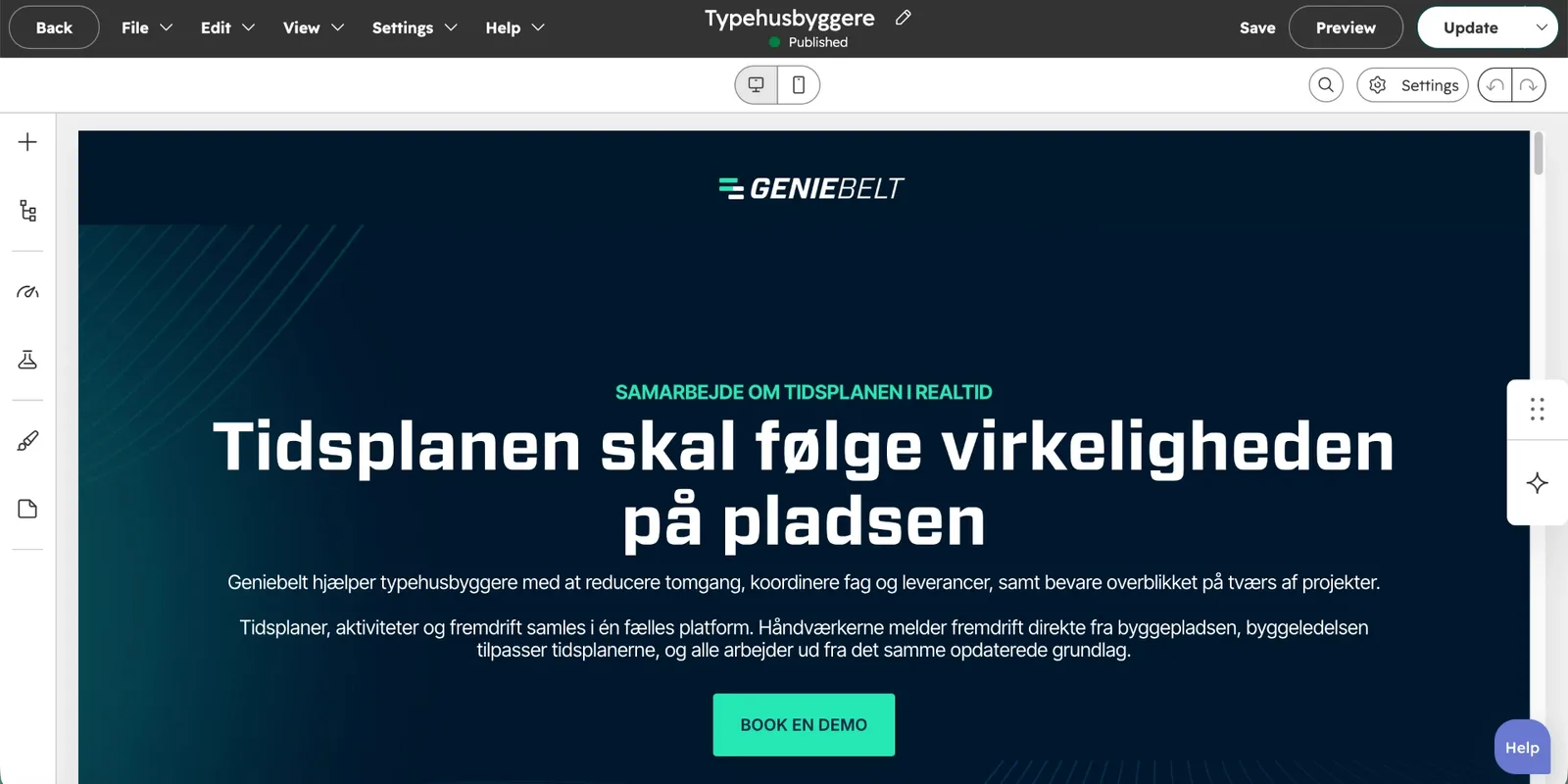
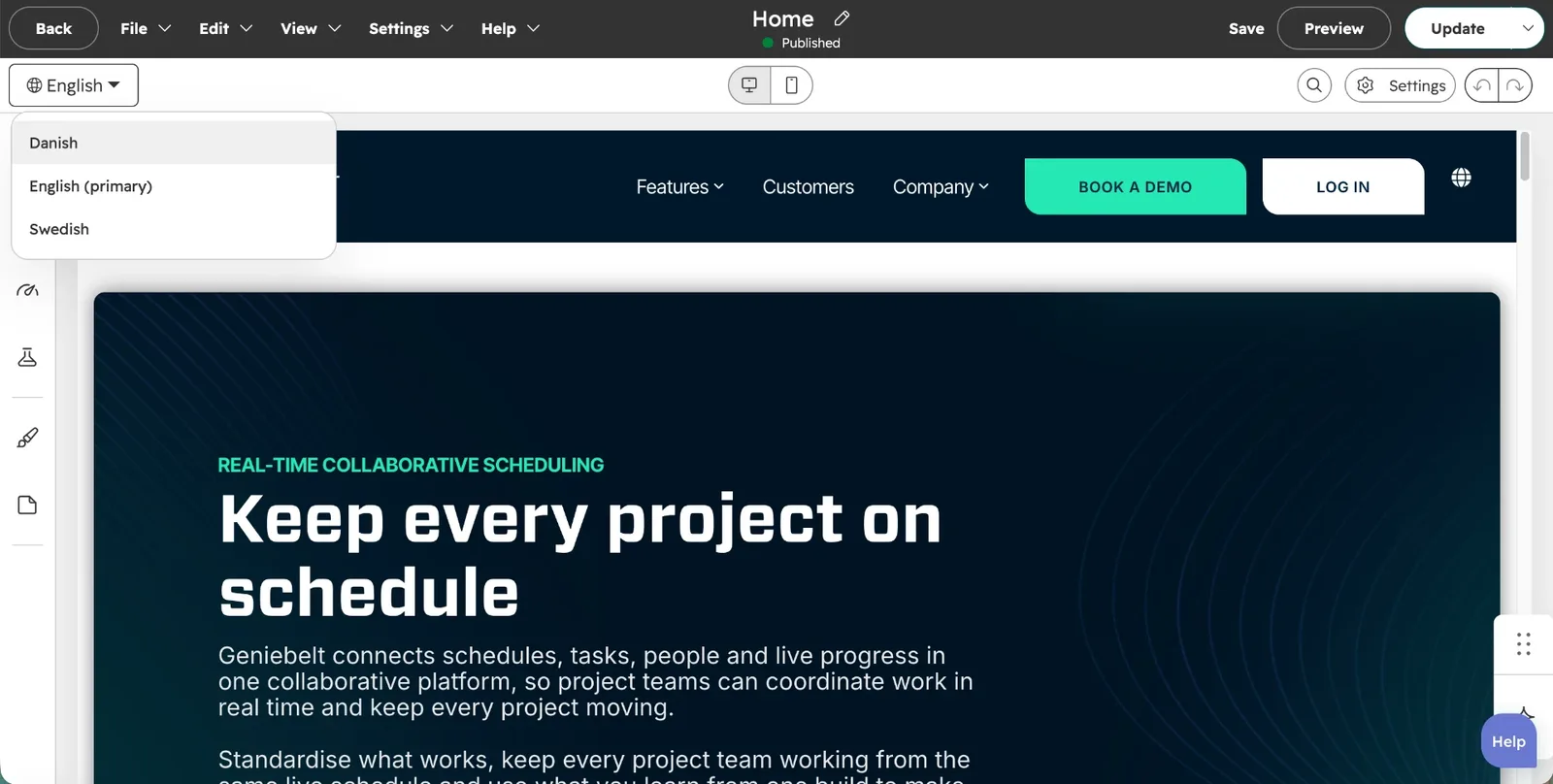
HubSpot handles multilingual sites with language variations: each page has a primary language, and translations are linked to it as variations. Getting this right early saves a lot of rework.
The things to plan up front:
- Which language is primary. Translations hang off the primary version, so pick the one that will be created first and updated most.
- Who writes the translations. GenieBelt's team handled the Danish copy themselves, so our job was making the structure easy for them to work in.
- How visitors switch language. A clear language switcher, in a consistent place on every page.
- Which languages come next. GenieBelt launched in English and Danish with Swedish planned, so the setup had to make adding a third language straightforward.
Tip: Build and approve the pages in one language first, then create the translations. Translating pages that are still changing means making every change twice.
5. Protect your SEO on the way over
A new platform shouldn't mean starting again in search. Before launch, plan:
- Redirects from every old URL that's changing or being removed, including the pages you've cut
- Page titles and meta descriptions for every page, in every language
- Alt text on images, especially screenshots and customer logos
- Checking the live site for broken links and missing pages straight after launch
Speed was the reason GenieBelt moved, so it also mattered that the new site loaded quickly. Starting from a well-built theme and keeping custom code light helped with that.
6. Hand it over so the team can run it
The point of moving to HubSpot is that the marketing team can manage the site themselves. That needs to be designed in, not hoped for.
For GenieBelt, that meant building with modules and templates the team can edit, using a consistent structure across both languages, and leaving the site in a state where adding a new page or a new translation doesn't need a developer.
The checklist we'd use for any multilingual migration
- Agree the page list, and use it to remove what isn't working
- Settle logins, gated content and plugins in the first conversation
- Choose a theme or custom build based on the modules you actually need
- Build templates for anything that will repeat
- Decide the primary language, who translates, and which languages come next
- Approve pages in one language before translating
- Plan redirects, meta tags and alt text before launch
- Build so the team can add pages and translations themselves
Here's what GenieBelt's CEO, Lars Rolf Jacobsen, said about the project:
"It's been a great experience working with Maya. She's responsive, pragmatic and a pleasure to collaborate with. She was flexible throughout the process, allowing us to iterate quickly and ultimately deliver a result we're very happy with. I'd highly recommend her."
You can see the full GenieBelt build in the case study.
A faster, bilingual website migrated from WordPress to HubSpot.
Related posts
Got a HubSpot problem like this?