 GEM Digital
 Your pipeline report is probably lying: fixing inflated deals before building dashboards

When a leadership team asks for better HubSpot reporting, the request is usually for new dashboards. More charts, a board view, something they can look at before a meeting.
But a dashboard can only be as accurate as the data underneath it. If the pipeline is inflated, a better dashboard just shows the wrong numbers more clearly.
That was the situation at Cavero Quantum, a cybersecurity company whose leadership had no reliable view of pipeline health, deal progression or attribution. This post covers how GEM Digital fixed the data first, then built the reporting on top.
What an inflated pipeline looks like
An inflated pipeline shows deals as further along, or more likely to close, than they really are. In HubSpot, the signs are usually:
- Deals sitting in late stages for months with no recent activity
- Close dates in the past on deals that are still open
- Deals created "just in case" after a first conversation, then never updated
- Stage definitions that mean different things to different people, so one rep's "proposal sent" is another rep's "had a chat"
- A total pipeline value that never matches what actually closes
None of this is unusual. It happens naturally when a sales team is busy and the CRM is something they update when they remember. But it means the board sees a pipeline that looks healthy while revenue tells a different story.
Step 1: Run a data hygiene pass before touching reports
At Cavero Quantum, the first piece of work wasn't reporting at all. It was a data hygiene exercise across the deals already in HubSpot.
That meant going through open deals and asking a few simple questions about each one:
- Is this deal still live? If there's been no activity in months and no next step, it's probably lost.
- Is it in the right stage? Based on what has actually happened, not what the rep hopes will happen.
- Is the close date realistic? Past close dates on open deals are one of the clearest signs of an inflated pipeline.
- Is the amount still right? Early estimates often never get updated.
Tip: Agree the clean-up rules with sales leadership before you start. Closing out stale deals can make the pipeline drop sharply overnight, and that conversation goes much better if leadership expected it.
The pipeline got smaller. It also became believable, which is the point.
Step 2: Rebuild the pipeline so it stays honest
Cleaning the data once doesn't help if it drifts straight back. The next step was rebuilding the sales pipeline itself, so each stage reflects something that has actually happened with the buyer, rather than a feeling about how the deal is going.
Clear, evidence-based stages make it much harder for deals to sit in the wrong place, and much easier for a new rep to know where a deal belongs.
Step 3: Automate the parts people forget
A lot of pipeline inflation comes from manual steps that get skipped. So we automated them:
- Lifecycle stage transitions, so contacts and companies move through the funnel based on what happens, not on someone remembering to update a field
- Deal creation, so deals are created at a consistent point in the process, with the right properties filled in
This means the data feeding the dashboards is created the same way every time. Reports stop depending on how diligent each person is that week.
Step 4: Build dashboards leadership can trust
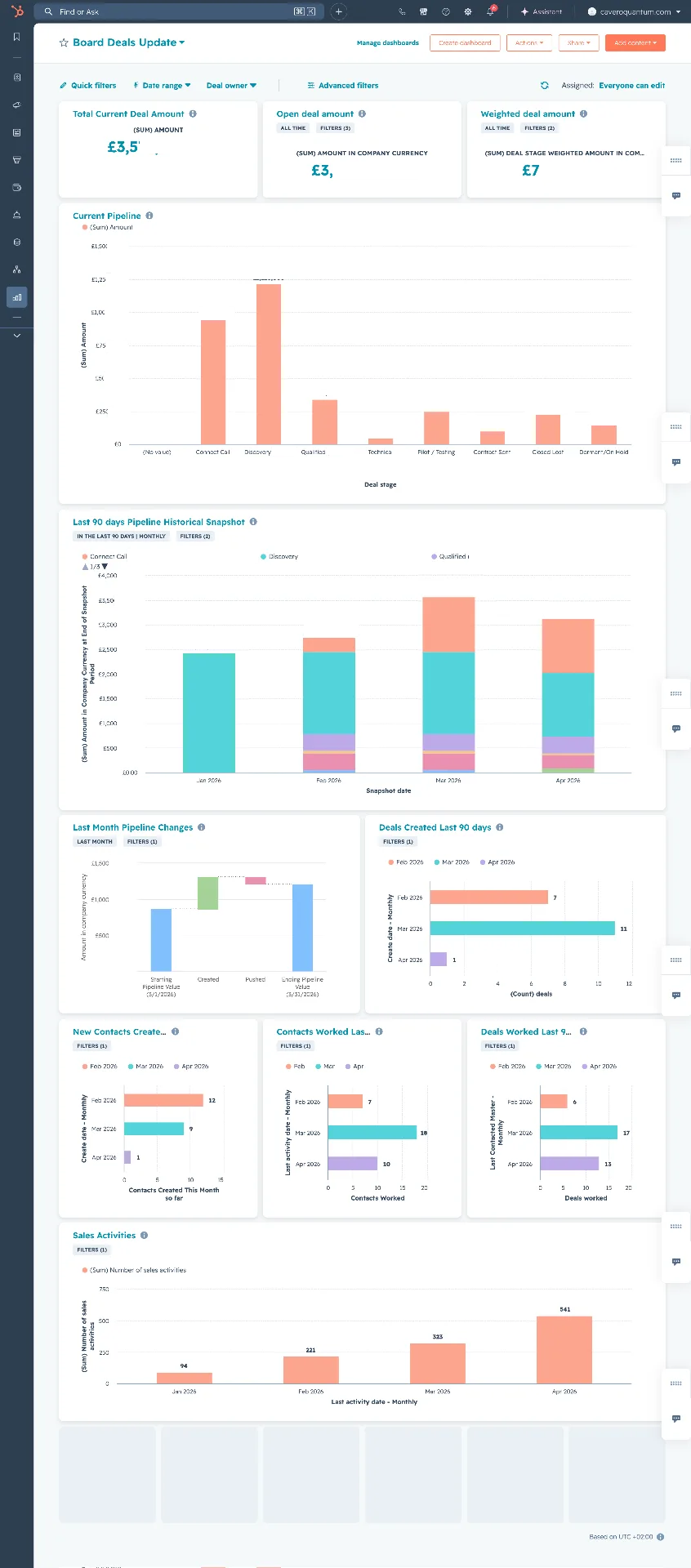
Only once the data was clean and the automation was in place did we build the reporting. The dashboards for Cavero Quantum's leadership cover:
- Time in stage, showing where deals slow down or get stuck
- Stage-to-stage conversion, showing where deals drop out of the pipeline
- Deal value per stage, giving an honest view of what's actually in play
- Pipeline velocity, showing how quickly deals move from creation to close
- Revenue attribution, connecting closed revenue back to where it came from
We also built activity reporting across objects, showing which deals and contacts have actually been worked in the last 90 days. That makes stale deals visible before they distort the pipeline again.
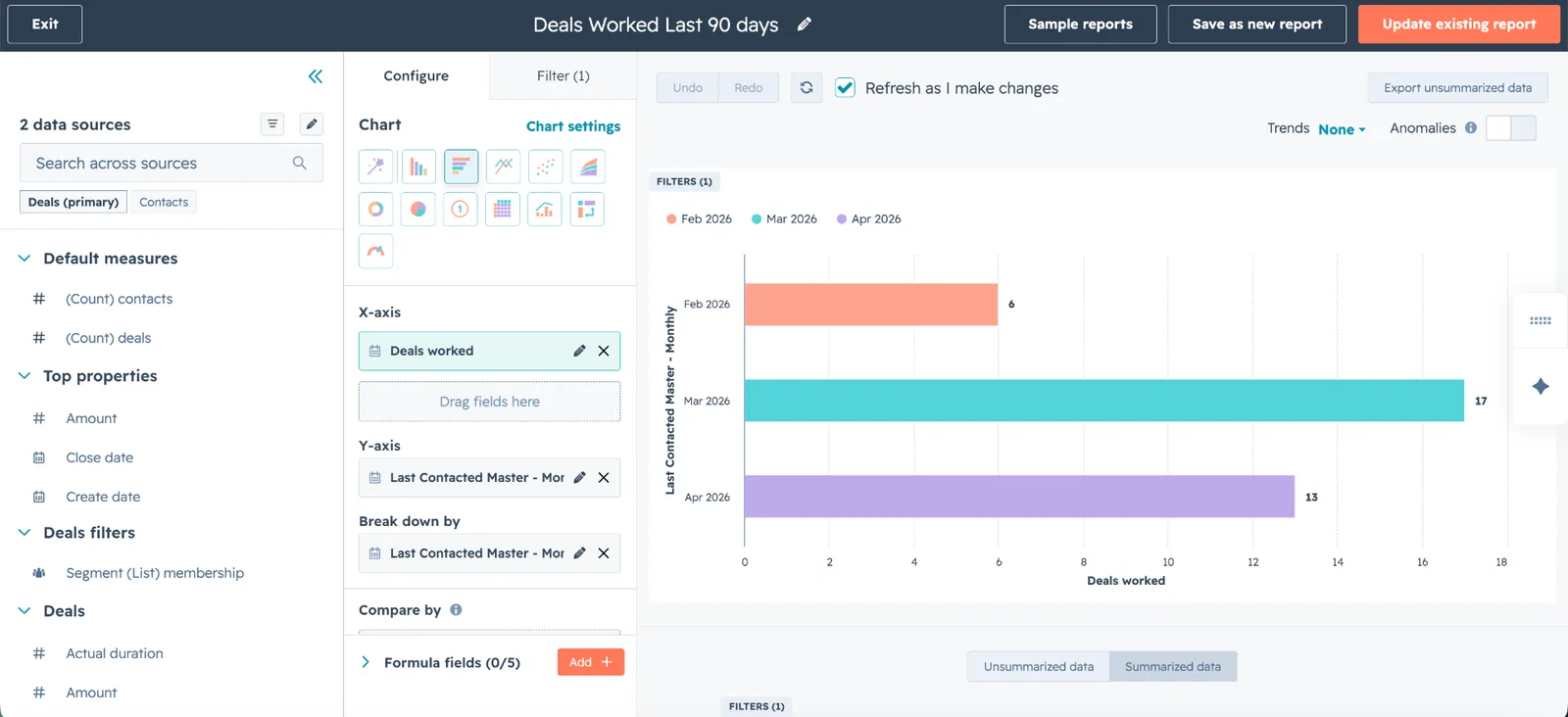
The result is a single source of truth for the leadership team: pipeline, attribution and conversion visible at a glance, built on numbers they can stand behind in a board meeting.
How to tell if your pipeline needs this
If you're about to commission new HubSpot dashboards, check these first:
- How many open deals have a close date in the past?
- How many deals haven't had any activity in the last 60 or 90 days?
- Does your pipeline total come anywhere close to what you actually close each quarter?
- Would two of your reps put the same deal in the same stage?
If the answers are uncomfortable, start with the data. A dashboard built on an inflated pipeline will look impressive and be wrong.
What we'd tell anyone building board-level reporting
- Clean the data before building reports. Always.
- Agree the clean-up rules with leadership first, so a smaller pipeline isn't a surprise.
- Define stages by what the buyer has done, not how confident the rep feels.
- Automate lifecycle changes and deal creation so the data stays consistent.
- Report on activity as well as value, so stale deals are caught early.
You can read more about the Cavero Quantum work in the case study.
Board-level reporting built on a pipeline leadership can trust.
Got a HubSpot problem like this?